Setting up own mongodb honeypot to lure attackers
- Editorial date
- Editorial date
- Blog Post views
- ...
- Reading time
- 5 min read
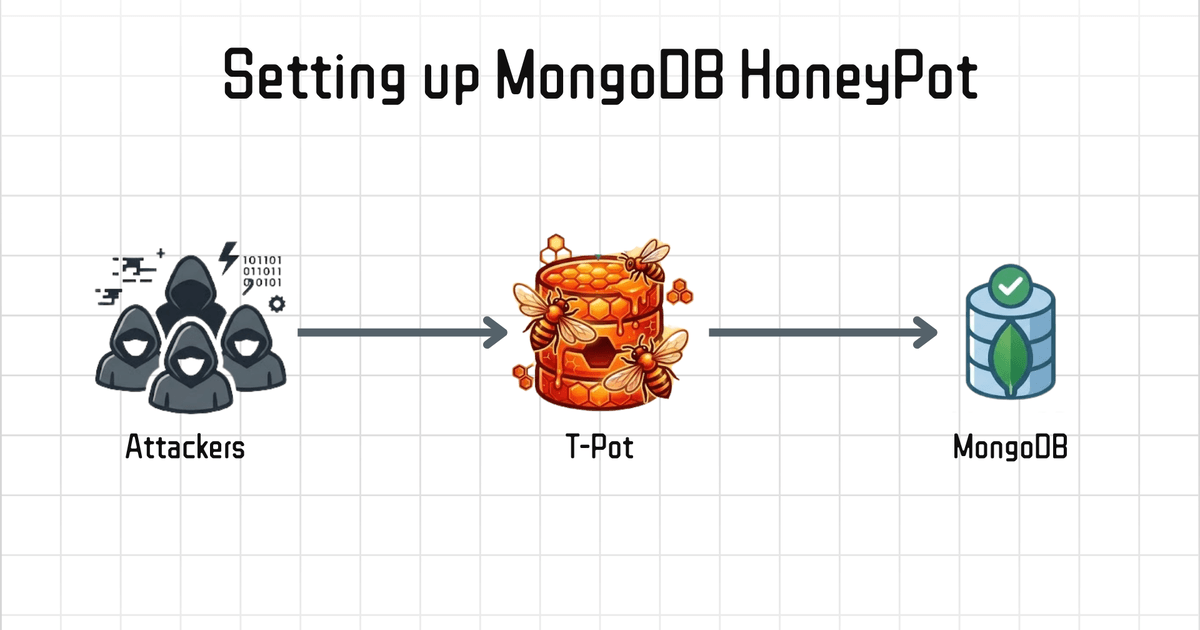
TL;DR
I deployed T-Pot 24.04.1 (Hive) on AWS EC2 Instance t2.xlarge (8GB RAM, 80GB), exposed an unauthenticated MongoDB with seeded data, and left it open to the internet.
What happened:
- Port
27017was discovered within minutes - 158 attacks from 5 IPs in the first 24 hours
- SSH brute force started almost immediately
- One attacker detected the honeypot and wiped logs
After 3 days:
- 1,000+ total attacks
- SSH brute force dominated (Cowrie)
- MongoDB scans: 52 attempts (Dionaea)
- Elasticsearch probes: negligible
Network difference:
- Public subnet → 1,000+ attacks
- Private subnet → 1 hit
Same setup. Same rules. Only difference: subnet.
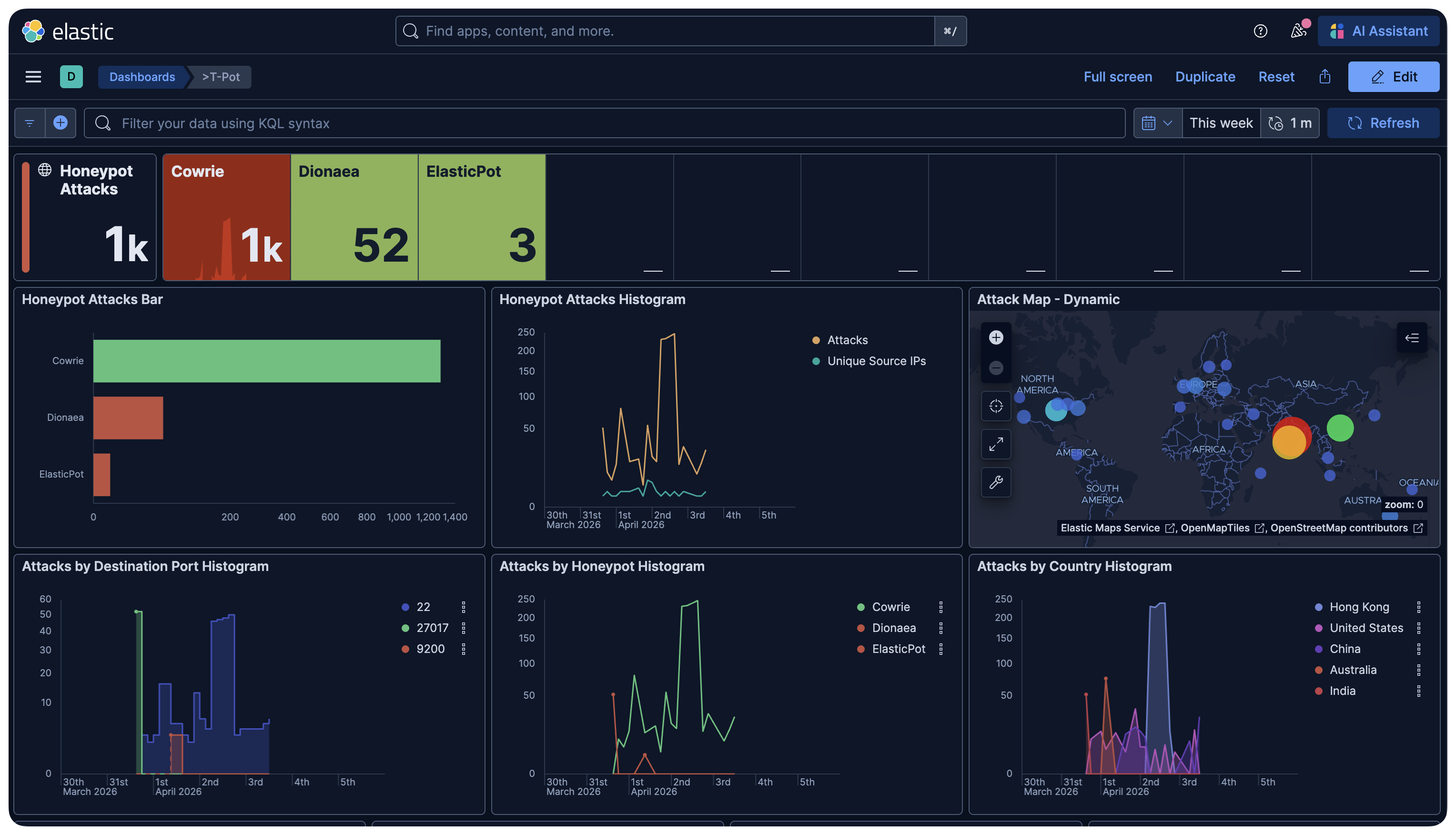
Elastic (ELK) dashboard after seven days on the public subnet honeypot
What is a Honeypot?
A honeypot is a system that pretends to be real and waits to get attacked.
You put it on the internet, you watch who hits it, and you learn exactly what attackers are doing right now. not what some outdated report claims.
Exposed Mongo databases get ransomed constantly. Misconfigured, no auth, public internet. this mistake is common and attackers rely on it. So I built the bait.
The Setup
Two EC2 instances with identical specs. Only difference: subnet.
This was intentional. the subnet difference ended up being the most interesting finding of the whole experiment.
Both machines:
t2.xlarge. 4 vCPU, 8 GB RAM- 80GB EBS volume
- Ubuntu 24.04 LTS
- T-Pot 24.04.1 (Hive edition)
Machine 1. Public subnet. Direct internet exposure. This is the honeypot. Machine 2. Private subnet. Behind NAT. No inbound internet route.


Identical T-Pot hosts: public vs private subnet
Why t2.xlarge?
I tried t2.medium first (4GB RAM). It couldn't finish starting all containers.
T-Pot runs 30+ Docker containers. Elasticsearch alone wants 2GB. Minimum you need 8GB RAM & 80 GB Storage otherwise it won’t even start properly.
Creating the User
T-Pot's installer is opinionated about one thing: don't run it as root, and don't name your user tpot (it creates that system user itself).
adduser devops
usermod -aG sudo devops
su - devops
That's it. Simple. I made the mistake of naming the user tpot first.
The Ansible playbook rejected it immediately with Reserved username 'tpot' detected.
Wasted 20 minutes. Don’t make this mistake.
Installing T-Pot
No manual Docker install. The script handles everything.
git clone https://github.com/telekom-security/tpotce
cd tpotce
./install.sh
It installs Docker, pulls all images, configures systemd, sets up iptables rules, and moves SSH to port 64295. Port 22 becomes a Cowrie honeypot.
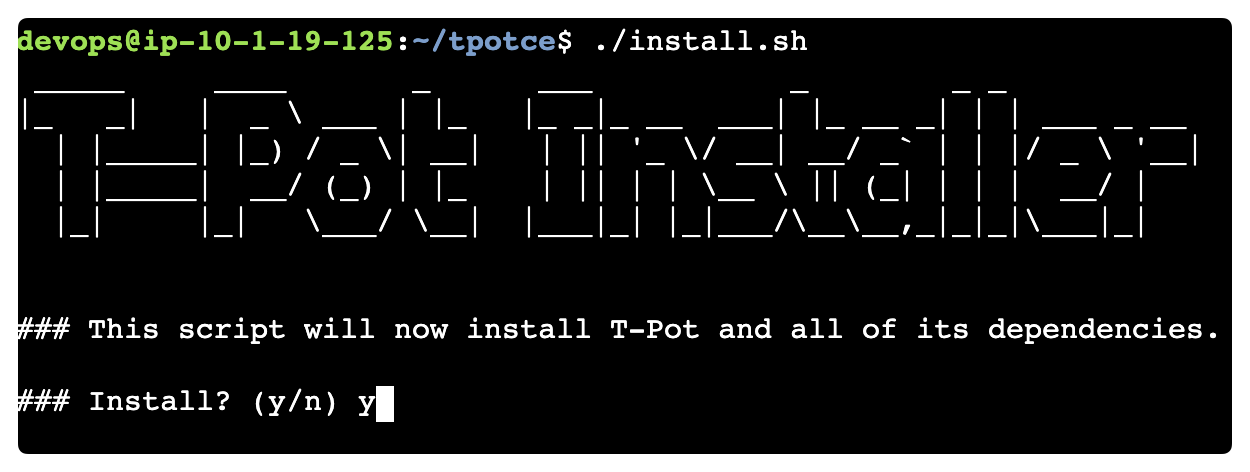
T-Pot installer
When it asks which edition:
(H)ive   - Full install, all honeypots, ELK stack
(S)ensor - Distributed sensor, no UI
M(i)ni   - Lightweight, fewer honeypots
...
Pick H.
Mini doesn't include Dionaea. which is the only honeypot in T-Pot that covers MongoDB. Learned this the hard way after a full install, 20 minutes of debugging, and a reinstall.
After reboot:
- SSH → port
64295 - Web UI →
https://your-ip:64297
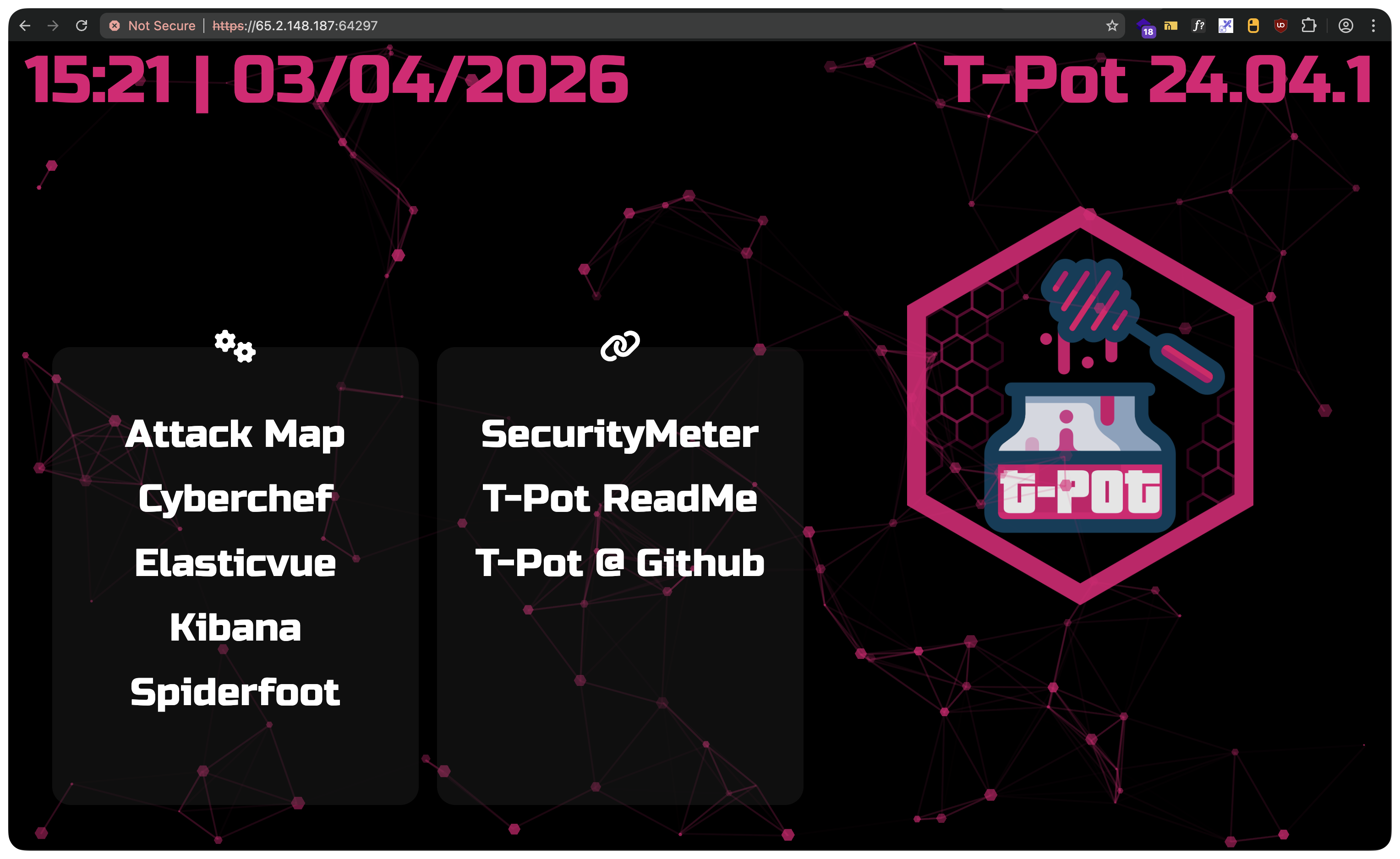
T-Potweb UI
What Dionaea Is (and What It Isn't)
Dionaea is T-Pot's database honeypot.
It emulates MongoDB on port 27017, alongside SMB, FTP, MySQL, MSSQL, and others. all in one container.
The catch: Dionaea emulates MongoDB wire protocol version 5. That's MongoDB ~3.6 era.
Modern clients like Compass or mongosh require at least version 8.
# This is what Compass returns when connecting to Dionaea
Server at 13.206.68.203:27017 reports maximum wire version 5,
but this version of the Node.js Driver requires at least 8
So Compass rejects it. But automated scripts?
They don't care.
Most MongoDB attack bots use older drivers or raw socket connections. They connect, try to enumerate databases, and move on. Dionaea logs all of it.
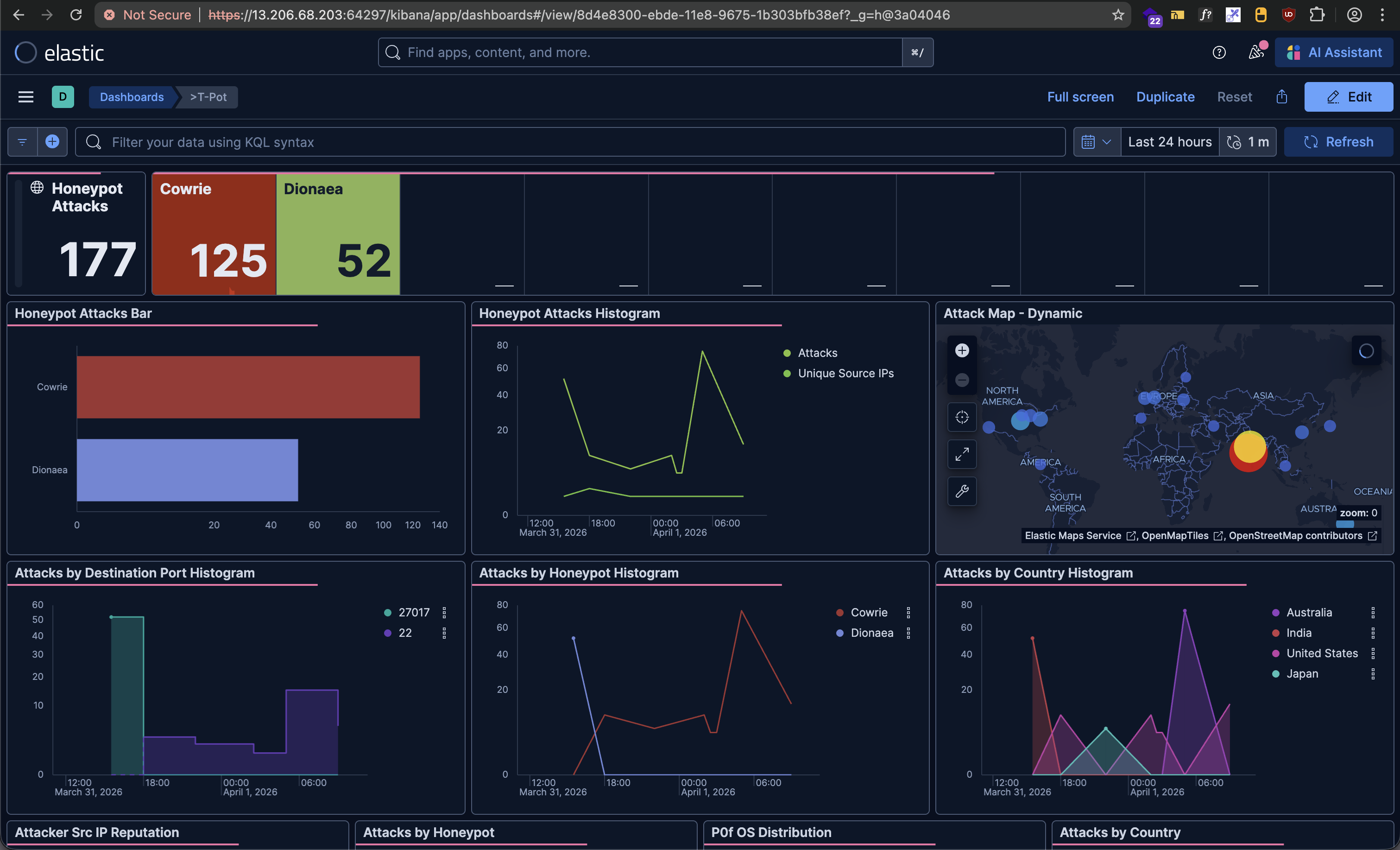
For basic scanning detection, Dionaea works fine. But it can't serve real queryable data. An attacker who actually connects and runs db.users.find() gets nothing back. a decent attacker would spot this instantly.
That's where the next part comes in.
Adding a Real MongoDB. The Convincing Part
Here’s where it gets real.
I wanted attackers to see real data. Collections. Documents.
The kind of thing that makes someone think they've hit a misconfigured database.
Remove port 27017 from Dionaea. Then add a real MongoDB 6.0 container:
# Add to networks section
mongodb_local:

# Add to services section
mongodb_honeypot:
  container_name: mongodb_honeypot
  image: mongo:6.0
  restart: always
  networks:
    - mongodb_local
  ports:
    - "27017:27017"
  volumes:
    - /data/mongodb/data:/data/db
    - /data/mongodb/log:/var/log/mongodb
    - /home/devops/mongodb-honeypot/seed.js:/docker-entrypoint-initdb.d/seed.js:ro
  environment:
    - MONGO_INITDB_DATABASE=companydb
  command: mongod --bind_ip_all --logpath /var/log/mongodb/mongod.log --logappend
No auth. That's the bait.
The seed file runs automatically on first start.
MongoDB executes anything in /docker-entrypoint-initdb.d/ on initialization:
db = db.getSiblingDB("companydb");

db.users.insertMany([
  {
    name: "Rahul Sharma",
    email: "rahul.sharma@gmail.com",
    password: "Rahul@1234",
    phone: "+91-9876543210",
    city: "Hyderabad",
    role: "admin",
  },
  // ... more users
]);

db.finance_transactions.insertMany([
  {
    txn_id: "TXN2024031501",
    user: "rahulsharma438@gmail.com",
    amount: 125000,
    method: "NEFT",
    bank: "HDFC Bank",
    account_no: "HDFC0012345678",
    ifsc: "HDFC0001234",
  },
  // ... more transactions
]);
Indian names. Indian phone numbers. UPI IDs. IFSC codes. NEFT/RTGS transactions. Ad spend data with INR budgets. It looks like a misconfigured Indian Company database.
Start it:

MongoDB honeypot container
cd ~/tpotce

# Restart Dionaea without 27017
sudo docker compose up -d --no-deps dionaea

# Start the real MongoDB
sudo docker compose up -d mongodb_honeypot
Test from your machine:
mongosh "mongodb://your-ec2-ip:27017"
use companydb or random company name
db.users.find()
# Returns all your fake users
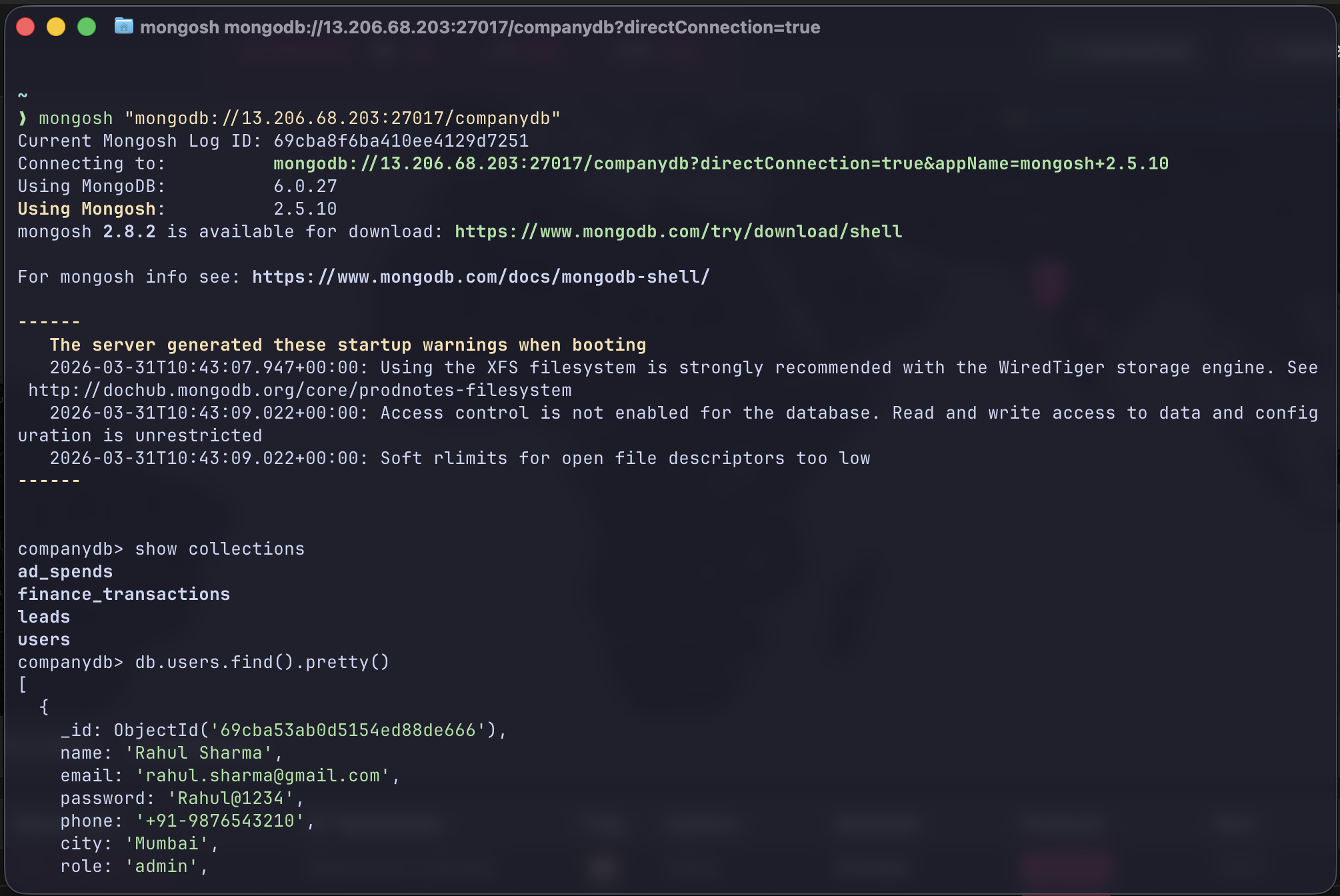
What Actually Happened
First 24 Hours
158 attacks. 5 unique IPs.
Port 27017 was found by automated scanners within minutes of going live.
These bots continuously scan the internet, and exposed services like this end up indexed on platforms like Shodan and Censys within minutes.
Then this happened: One attacker connected, poked around, realized it was a honeypot. and wiped the logs before leaving.
That's not automated. That's someone who knew what they were looking at, tried to cover their tracks, and left.
The fake data was convincing enough to trigger a human response.

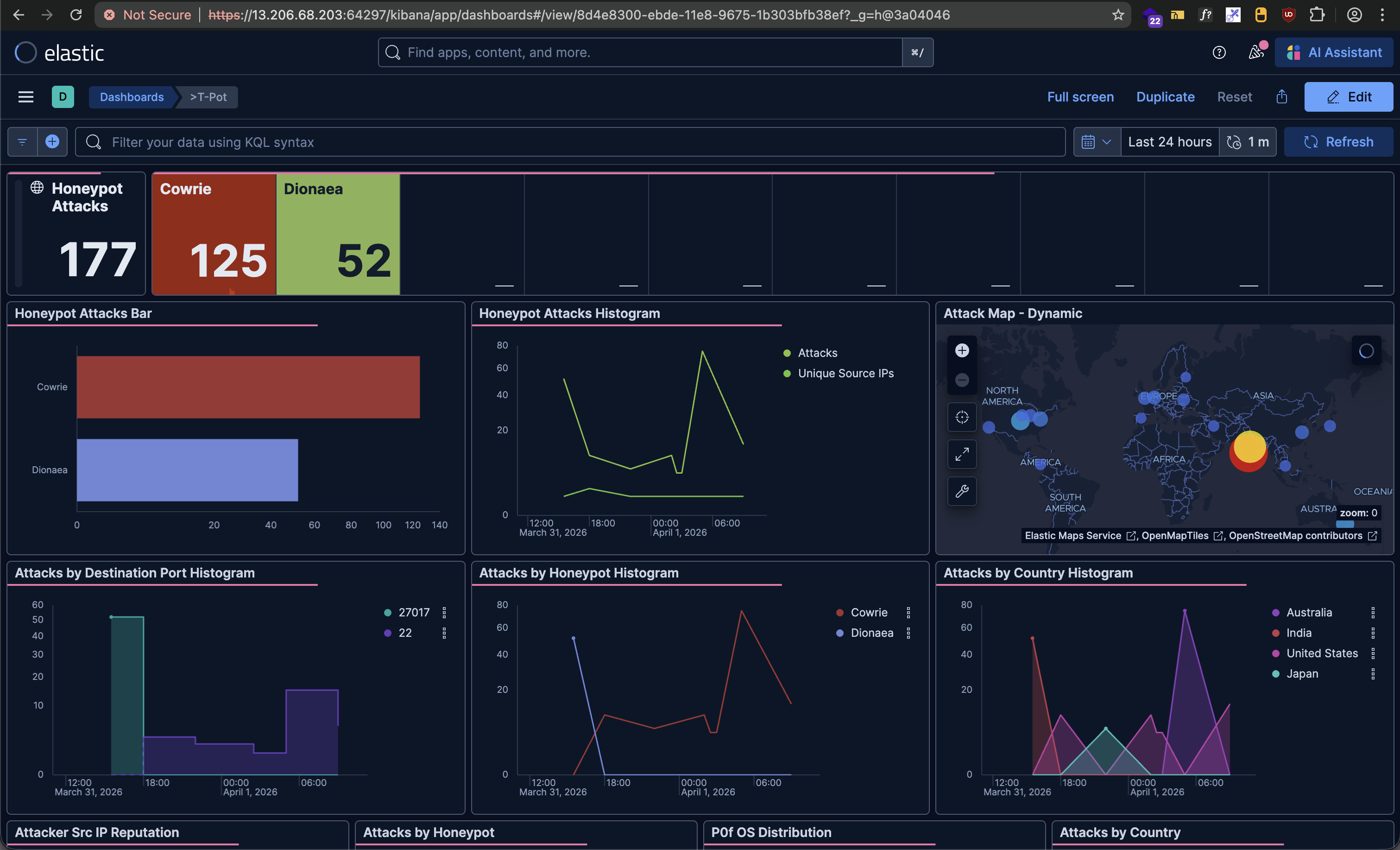
First 24 hours on the dashboard
After 3 Days
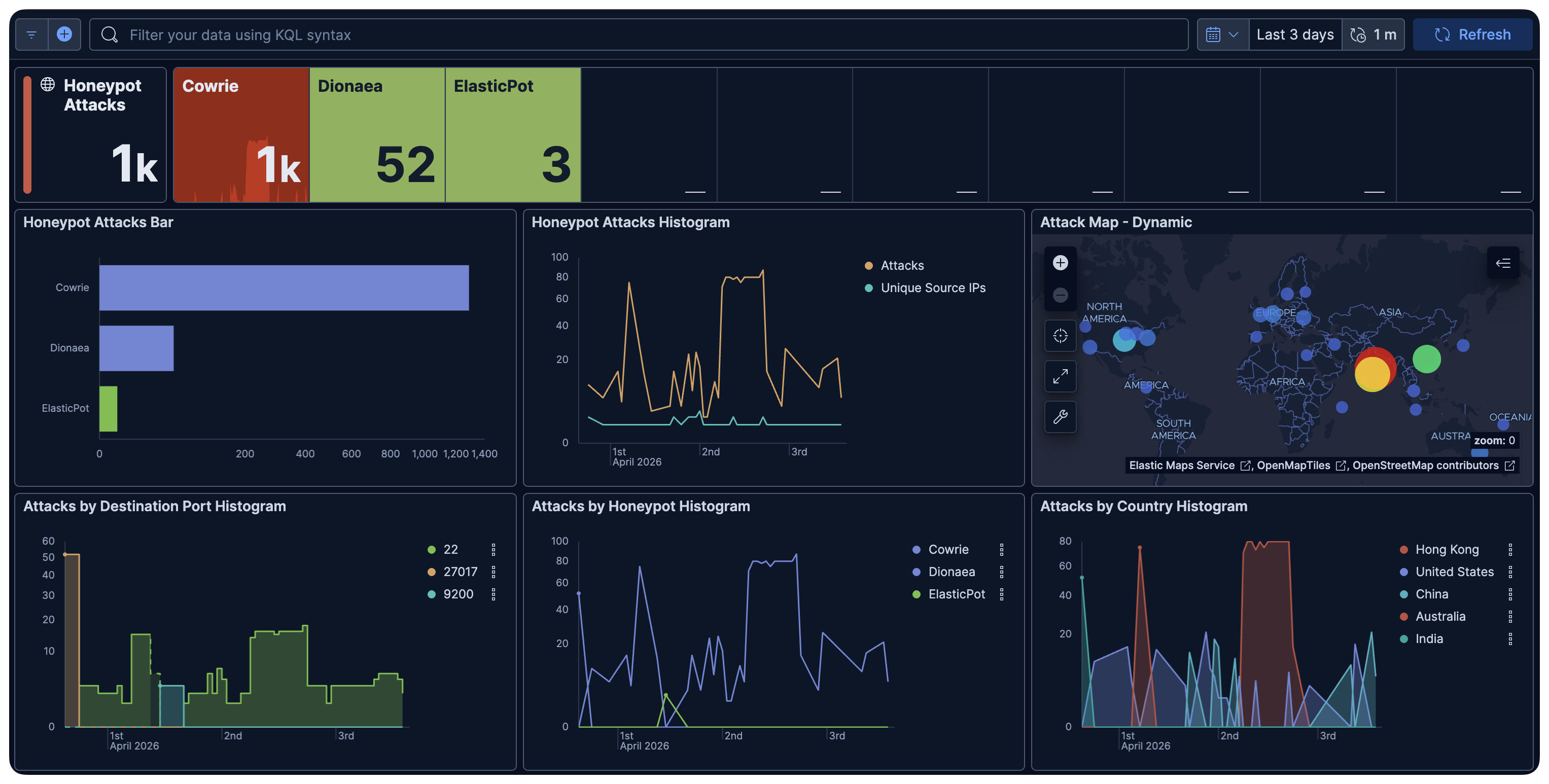
Three-day aggregate attack statistics
Hits per honeypot after three days (public subnet)
| Honeypot | Hits | What it caught |
|---|---|---|
| Cowrie | ~1,000 | SSH/Telnet brute force |
| Dionaea | 52 | MongoDB protocol scans |
| ElasticPot | 3 | Elasticsearch exploits |
Top attacker countries: Hong Kong, US, China, Australia, India.
Top ASN: UCLOUD with 956 hits. One IP. 956 attempts.
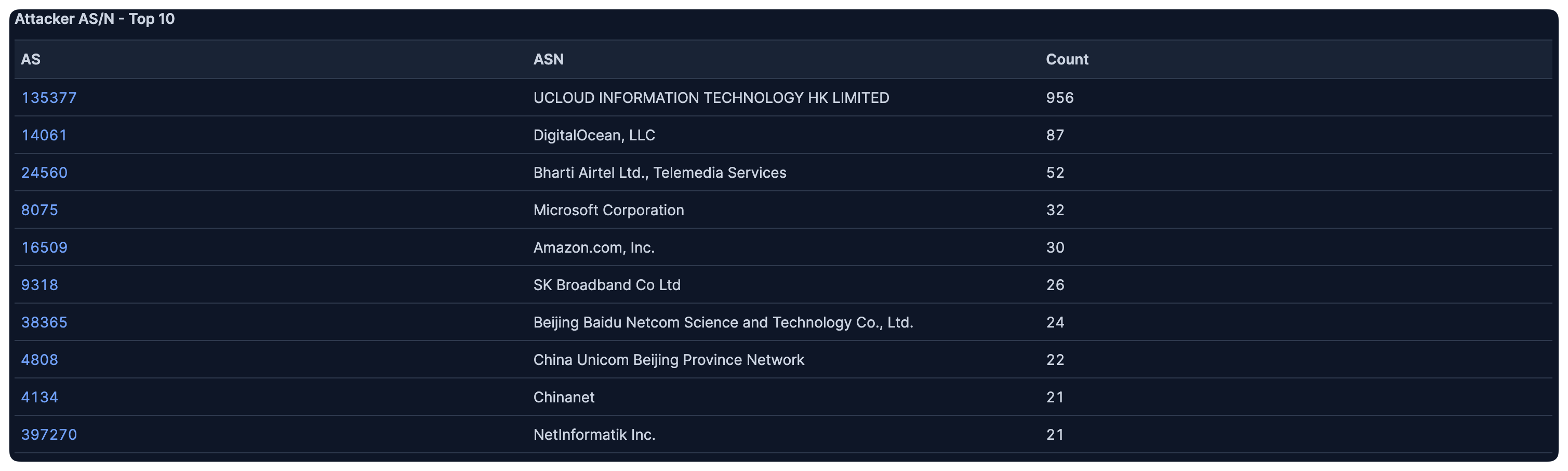
Geography and ASN of incoming attacks
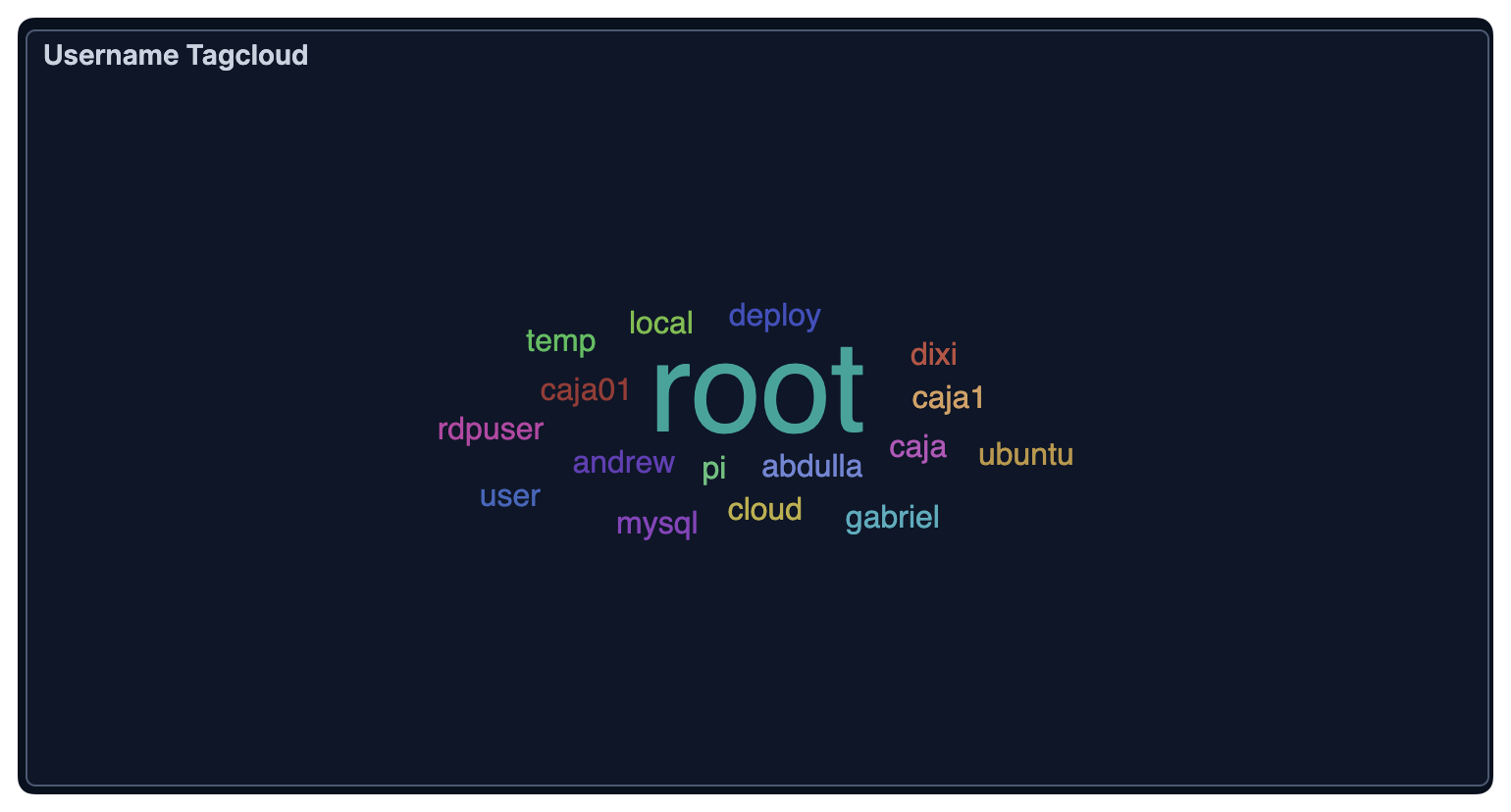
Password tagcloud from Cowrie SSH brute force:
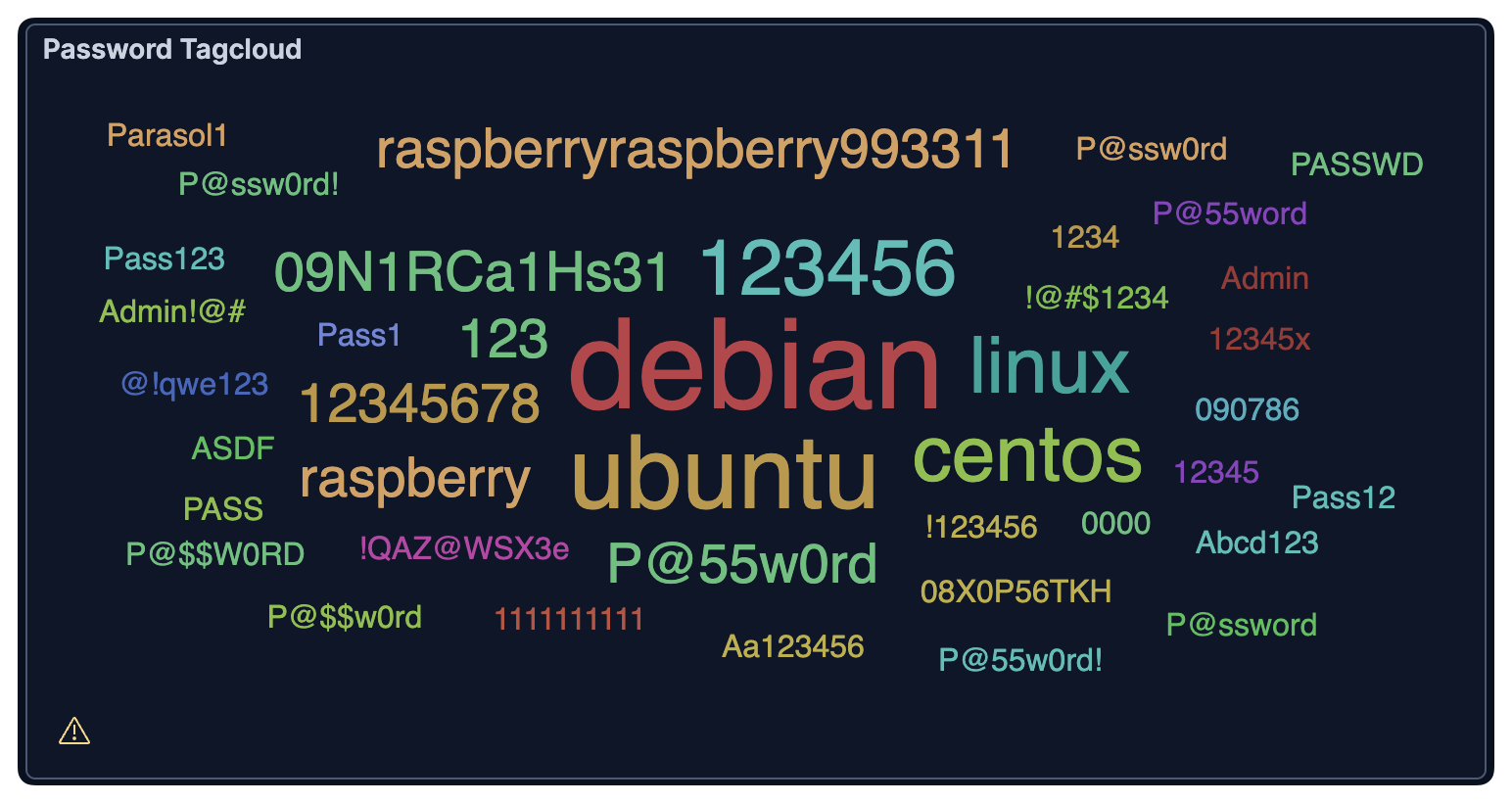
Cowrie: most-tried SSH passwords
debian. ubuntu. linux. 123456. raspberry.
If any of systems use these passwords they already have a problem.
These aren't targeted guesses. They're credential lists from leaked databases, running automatically against every IP on the internet.
What actually matters
Public subnet: 1,000+ attacks in 3 days
Private subnet: 1 attack
Only difference: network placement.
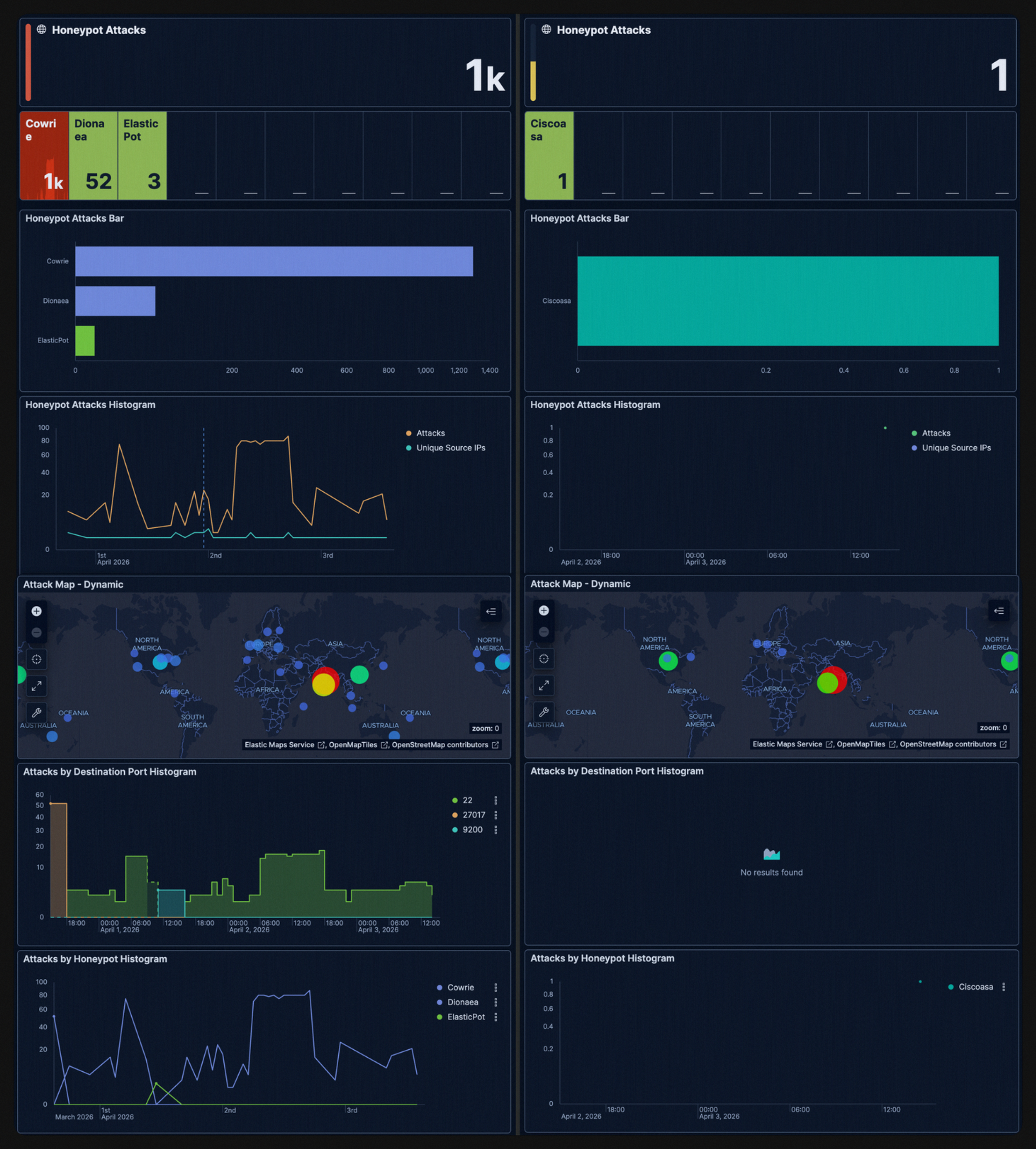
Public subnet vs private subnet
This isn't about firewall rules. Security groups are table stakes. The actual protection comes from having no inbound internet route at all. Private subnet databases literally cannot be reached from the internet.
The public subnet database gets found in minutes and becomes searchable through platforms like Shodan. It doesn't matter how good your firewall rules are if you misconfigure one rule. and people do misconfigure rules.
If RDS, MongoDB, Redis, or any database is in a public subnet, it's one security group mistake away from being the next ransom victim.
The Bad Practice
People put databases in public subnets and rely entirely on security groups to block access.
Then:
- Open
0.0.0.0/0on port 27017 to "test something quickly" - Forget to revert it
- Come back to a ransom note replacing their data
The attackers aren't even human. it's fully automated scripts.
The fake data we seeded was designed to look like exactly the kind of thing that would get ransomed: user PII, financial transaction data, credentials.
The attacker who identified it as a honeypot and wiped logs was doing exactly what they'd do on a real target. and they would have found 980,000 INR transactions, HDFC account numbers, and admin credentials if it were real.
Takeaway
- Put databases in private subnets. Always.
- No public IP. No inbound route. No exceptions.
- Use bastion hosts / SSM, not direct access
- Treat security groups as secondary defense, not primary
If your database is in a public subnet, it’s not “secured”.
It’s just waiting to be discovered.
This isn’t targeted.
Everything is scanned continuously.
Expose MongoDB on 27017 and it gets found, indexed, and probed within minutes.
The internet is scanning every port, all the time. Yours included. 🍯
Putting a database in a public subnet and relying on firewall rules is like:
locking your front door and removing the walls
It works.
Right until it doesn’t.
And when it doesn’t, it’s not subtle.